Confirm the counts
The AI already counted how many animals it saw in each event. On the Counts page you check those numbers and sign them off. This step is optional. The AI miscounts, so it is recommended to review the suggested counts for the species of interest. Counts are separate from labels, and tracked separately. See check the labels.
Video tutorial
Prefer to watch? This video shows how to check the AI's counts and sign them off.
How counting works
An event is a group of photos and videos from one camera, taken close together in time, set by the independence interval. The count for a species in an event is the highest number visible in any single photo, not the total across photos. One deer photographed 40 times is one deer. The full explanation is in detections, events and observations.
Going through them
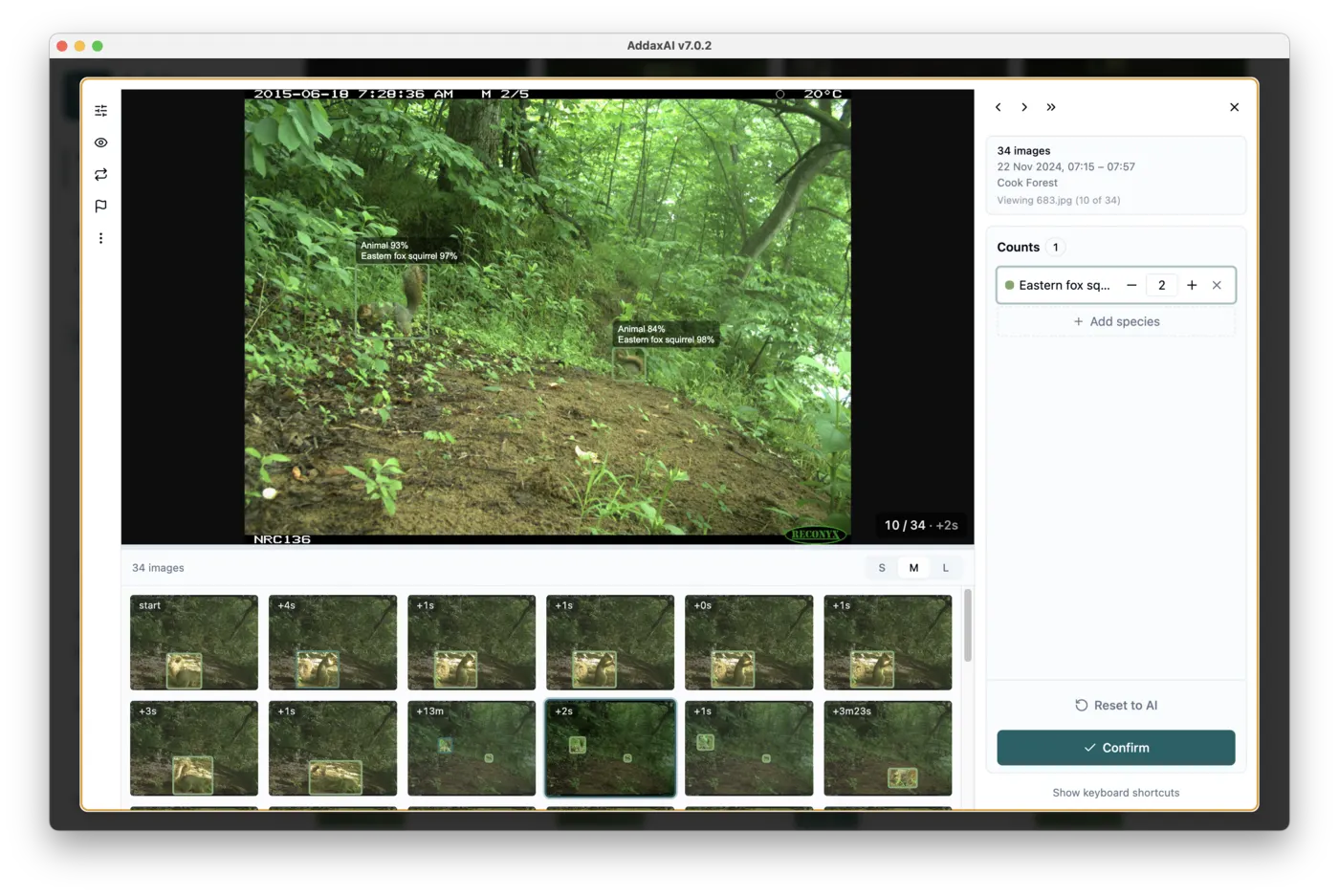
Each card is one event. It opens on the frame where the most animals are visible, so you can judge the species and the number in one look. The strip below is the rest of the event, and for a video it shows frames across the clip. Click any of them to look closer, or press the spacebar to loop through all the images in the event automatically, a fast way to inspect the whole visit. Press Enter to confirm and move to the next event, or change the count first and then press Enter. The panel on the right lists each species with its count. Adjust a count if it is wrong, or add a species the AI missed. Keys: arrow up and down pick a species, 0 to 9 set its count, plus and minus nudge it by one, N adds a species. A, S and J set the picked row's age (adult, subadult, juvenile) and M and F its sex; the same key again sets it back to unknown. Your confirmed numbers are used in the graphs and outputs, and always win over the AI's suggestions. You can set a count the AI could not reach: if four deer pass but never share one frame, its best is 2 and you enter 4. Events you do not confirm still count, using the AI's number.
When you play a video, the labels change from frame to frame. That is normal, and only one frame per video decides the species and the count. See videos.
Sex, age and behaviour
Under each species you can set the sex, age and behaviour of the animals on that row. All of it is optional and the AI never fills it in. The values apply to the whole row, so "6 roe deer, all male" is one dropdown. To record 4 males and 2 females, press the split button on the row: you get a second roe deer row, adjust the two counts and set each row's sex. The rows go into the exports as they are, one row per group, in the Camtrap DP fields of the same name.
When the same animals walk through event after event, you do not have to retype all of this. Press C, or the "Same as last" button, and the event gets exactly the rows of the last event you confirmed: species, counts, sex, age and behaviour. Adjust what differs and press Enter. The copy replaces what was there, so a species the AI saw in this event but the copied rows do not name drops to zero; "Reset to AI" brings the AI's own numbers back.
Below the list is a note field for the event, for anything the dropdowns cannot say. A note is never lost: if you change the independence interval and events merge, the merged event gets both notes; if an event splits, each part keeps the note.
Events where nothing happened
Events where the AI found nothing are hidden. Open More and set Empty to "Show only empty" to page through them. This finds events where every photo is empty, so it will not show you an empty photo that sits in an event with an animal in it. Most empty photos are in such events.
To go through all your empty photos, use the Files tab on the Labels page with the Empty filter set to "Show only empty".